



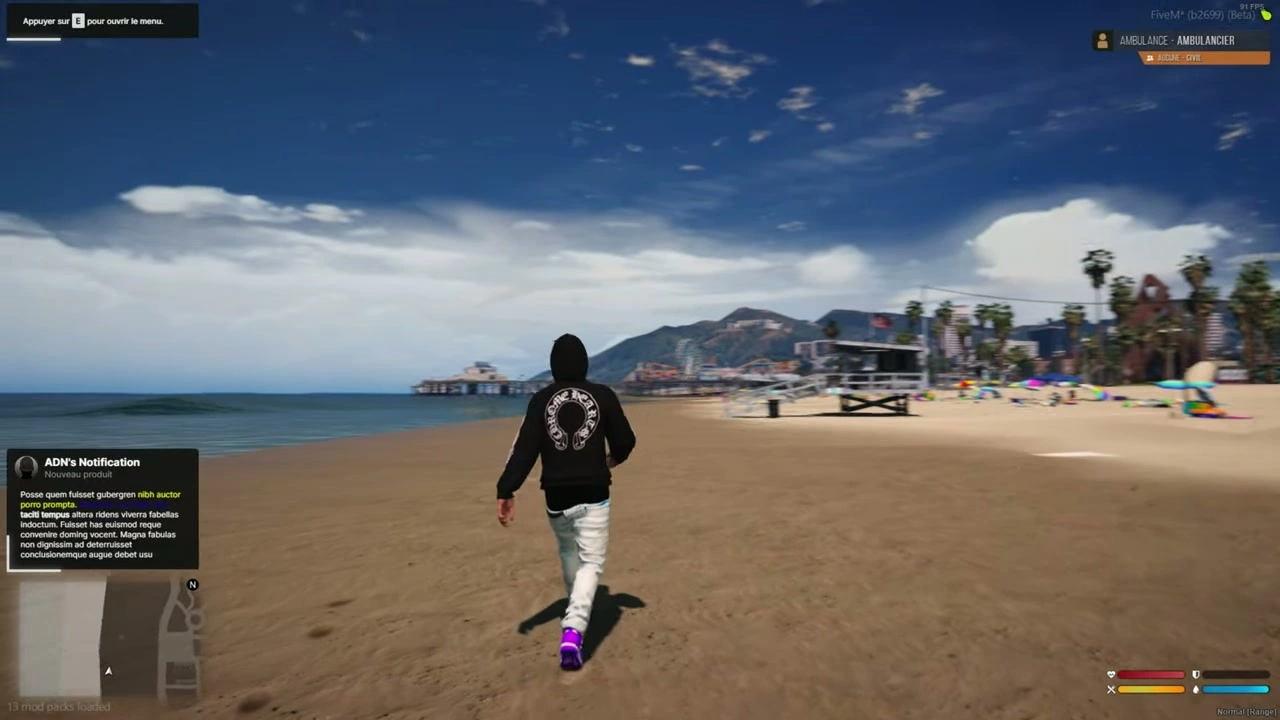




📦 Installation des notifications
- Faites glisser le
iNotificationV3Ajoutez ce dossier à vos ressources. - Ajouter la ligne
ensure iNotificationV3à votreserver.cfg.
📝 Options de texte
- Si vous incluez
~h~en texte, cela rendra le texte audacieux (exemple:~h~Trying bold text~h~). - Si vous incluez
~i~en texte, cela rendra le texte italique (exemple:~i~Trying italic text~i~). - Si vous incluez
<br/>en texte, cela créera un saut de ligne (exemple:line 1<br/>line 2).
🔔 Exemples de notifications (Client/Serveur)
Côté client
-- showNotification
TriggerEvent("iNotificationV3:showNotification", "This is a message", 5, "left");

-- showAdvancedNotification
TriggerEvent("iNotificationV3:showAdvancedNotification", "Title", "Subtitle", "this is a message", "CHAR_MP_BIKER_BOSS", 7, "left");

-- showHelpNotification
TriggerEvent("iNotificationV3:showHelpNotification", "Press ~INPUT_PICKUP~ to ...", 10, "right");

-- showAdvancedHelpNotification
TriggerEvent("iNotificationV3:showAdvancedHelpNotification", "Interactions", "Press ~INPUT_PICKUP~ to trigger ...", "CHAR_MP_BRUCIE", 8, "left");
Côté serveur
-- showNotification
TriggerClientEvent("iNotificationV3:showNotification", source, "This is a message", 5, "left");

-- showAdvancedNotification
TriggerClientEvent("iNotificationV3:showAdvancedNotification", source, "Title", "Subtitle", "this is a message", "CHAR_MP_BIKER_BOSS", 7, "left");

-- showHelpNotification
TriggerClientEvent("iNotificationV3:showHelpNotification", source, "Press ~INPUT_PICKUP~ to ...", 10, "right");

-- showAdvancedHelpNotification
TriggerClientEvent("iNotificationV3:showAdvancedHelpNotification", source, "Interactions", "Press ~INPUT_PICKUP~ to trigger ...", "CHAR_MP_BRUCIE", 8, "left");
⚠️ Conseil: Nous vous recommandons de ne pas modifier toutes vos notifications via ESX.
Il est préférable de les modifier individuellement dans chaque script où ils apparaissent pour un meilleur contrôle (position, durée, etc.).
🧩 Modifiez facilement toutes les notifications dans votre framework ESX
- Allez dans le dossier
ex_extended/client. - Ouvrir le fichier
functions.lua. - Suivez les étapes de modification ci-dessous.
🔧 Modification
Remplacez ce code :
ESX.ShowNotification = function(msg)
    SetNotificationTextEntry('STRING');
    AddTextComponentString(msg);
    DrawNotification(0, 1);
end

ESX.ShowAdvancedNotification = function(sender, subject, msg, textureDict, iconType, flash, saveToBrief, hudColorIndex)
    if saveToBrief == nil then saveToBrief = true end
    AddTextEntry('esxAdvancedNotification', msg)
    BeginTextCommandThefeedPost('esxAdvancedNotification')
    if hudColorIndex then ThefeedNextPostBackgroundColor(hudColorIndex) end
    EndTextCommandThefeedPostMessagetext(textureDict, textureDict, false, iconType, sender, subject)
    EndTextCommandThefeedPostTicker(flash or false, saveToBrief)
end

ESX.ShowHelpNotification = function(msg, thisFrame, beep, duration)
    AddTextEntry('esxHelpNotification', msg)

    if thisFrame then
        DisplayHelpTextThisFrame('esxHelpNotification', false)
    else
        if beep == nil then beep = true end
        BeginTextCommandDisplayHelp('esxHelpNotification')
        EndTextCommandDisplayHelp(0, false, beep, duration or -1)
    end
end
Avec ce code :
ESX.ShowNotification = function(msg, time, position)
    TriggerEvent("iNotificationV3:showNotification", msg, time or 12, position or "left");
end

ESX.ShowAdvancedNotification = function(sender, subject, msg, textureDict, iconType, flash, saveToBrief, hudColorIndex)
    TriggerEvent("iNotificationV3:showAdvancedNotification", sender, subject, msg, textureDict, 12, "left")
end

ESX.ShowHelpNotification = function(msg, thisFrame, beep, duration)
    TriggerEvent("iNotificationV3:showHelpNotification", msg, 12, "left");
end
➕ Ajoutez facilement des notifications
showNotification
Client
-- message: string (message content) (⚠️ Required)
-- duration: number (seconds the notification stays visible) (❌ Optional)
-- location: string["left", "middle", "right"] (screen position) (❌ Optional)
exports["iNotificationV3"]:showNotification(message, duration, location);
-- or:
TriggerEvent("iNotificationV3:showNotification", message, duration, location);
Serveur
TriggerClientEvent("iNotificationV3:showNotification", playerId or source, message, duration, location)
showAdvancedNotification
Client
-- title: string (title of notification) (❌ Optional)
-- subtitle: string (subtitle) (❌ Optional)
-- message: string (message content) (⚠️ Required)
-- duration: number (display duration) (❌ Optional)
-- location: string["left", "middle", "right"] (screen position) (❌ Optional)
-- icon: string (GTA 5 notification image or custom image name from "assets/images/") (❌ Optional)

exports["iNotificationV3"]:showAdvancedNotification(title, subtitle, message, icon, duration, location);
-- or:
TriggerEvent("iNotificationV3:showAdvancedNotification", title, subtitle, message, icon, duration, location);
Serveur
local inotif = "iNotificationV3:showAdvancedNotification";
TriggerClientEvent(inotif, playerId or source, title, subtitle, message, icon, duration, location)
showHelpNotification
Client
exports["iNotificationV3"]:showHelpNotification(message, duration, location);
-- or:
TriggerEvent("iNotificationV3:showHelpNotification", message, duration, location);
Serveur
local inotif = "iNotificationV3:showHelpNotification";
TriggerClientEvent(inotif, playerId or source, message, duration, location)
showAdvancedHelpNotification (Aperçu)
Client
exports["iNotificationV3"]:showAdvancedHelpNotification(title, message, icon, duration, location);
-- or:
TriggerEvent("iNotificationV3:showAdvancedHelpNotification", title, message, icon, duration, location);
Serveur
local inotif = "iNotificationV3:showAdvancedHelpNotification";
TriggerClientEvent(inotif, playerId or source, title, message, icon, duration, location)
✅ Fait!
Votre fichier a maintenant été entièrement traduit en anglais tout en préservant les blocs de code et la mise en forme.
Souhaitez-vous que je génère un Version Markdown anglaise de ce fichier (readme_en.md) que vous pouvez télécharger ?