



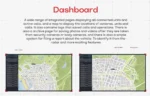
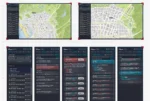
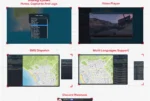
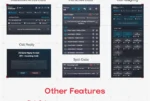

Videovorschau
Einstellungen
#-Rahmenwerk
QBCore:
--  << Framework >>
Config.Core = 'l2s-core'
Config.GangUpdateEvent = 'QBCore:Client:OnGangUpdate'
Config.JobUpdateEvent = 'QBCore:Client:OnJobUpdate'
Config.LoadEvent = 'QBCore:Client:OnPlayerLoaded'
Config.UnLoadEvent = 'QBCore:Client:OnPlayerUnload'
Config.SQL = {
    players = 'players',
    gang = 'gang',
}
-- << Target >>
Config.TargetSystem = 'qb' -- ox , qb
Config.TargetExport = 'qb-target' -- ox , qb
-- << Inventory >>
Config.Inventory = 'qb-inventory' -- qb-inventory , ox_inventory , l2s-inventory , qs-inventory , custom  (change export from cl_editable)
-- << Menu >>
Config.MenuSystem = 'qb_menu  ' -- ox_lib , qb_menu custom
Config.MenuExport = 'qb-menu,' -- ox_lib , qb-menu, l2s-interface, ... (Resource name of your menu)
-- << Script Settings >>
Config.Webhok = '' -- Logs Webhok
Config.Color = '' -- if you want use 1 color for all UI example : #66666 , if you want to use color gang Leave it blank ""
ESX:
--  << Framework >>
Config.FrameworkFolder = 'es_extended'
Config.JobUpdateEvent = 'esx:setJob'
Config.LoadEvent = 'esx:playerLoaded'
Config.onPlayerSpawn = 'esx:onPlayerSpawn'
Config.SQL = {
    players = 'users',
    gang = 'job',
}
-- << Target >>
Config.TargetSystem = 'ox' -- ox , qb
Config.TargetExport = 'ox_target' -- ox , qb
-- << Inventory >>
Config.Inventory = 'ox_inventory' -- ox_inventory ,  qs-inventory , custom  (change export from cl_editable)
-- << Menu >>
Config.MenuSystem = 'ox_lib' -- ox_lib , qb_menu custom
Config.MenuExport = 'ox_lib' -- ox_lib , qb-menu, l2s-interface, ... (Resource name of your menu)
-- << Script Settings >>
Config.Webhok = '' -- Logs Webhok
Config.Color = '' -- if you want use 1 color for all UI example : #66666 , if you want to use color gang Leave it blank ""
#Shop
Config.Ped = 'g_m_importexport_01' -- Spray seller Ped
Config.LimtSprayPay = 2 -- How much Palyer can pay gang sprayer in 1 Restart , (Defult : 2 )
Config.SprayPrice = 5000 -- Sprayer Price , (Defult : 5000)
Config.SprayRemoverPrice = 3000  -- Remove Sprayer Price , (Defult : 3000)
Config.SprayItem = 'turfspray' -- Sprayer Item
Config.RemoveSprayItem = 'spray_remover' -- Remoing Spraying Item
Config.PedCoords = vec4(-509.32272338867, -2222.1071777344, 6.3940186500549, 239.59478759766) -- Spray seller location
#Turf-Einstellungen
-- << Turf Settings >>
Config.ProggressBar =  7 * 60000 -- How many minutes does it take to consept the spray? , (Defult : 7 min)
Config.RemoveProggressBar =  7 * 60000  -- How many minutes do you need to scratch the spray? , (Defult : 7 min)
Config.BlipOpacity = 85 -- the opacity of the blip (0-100)
Config.BlipRaduis = 80.0  --Blips Cricle Raduis in FiveM Mini Map
Config.OneSprayInRadius = true -- true : you cant consept 2 spray in same Raduis , False = you can consept spray anywhare
Config.ContestCount  = 0 -- How many from you gang must be online to consept the spray? , (Defult : 3 )
Config.RemoveCount = 0 -- How many must be online from another gang to scratch theier spray? , (Defult : 4 )
Config.LimtSpray = 2 -- How much gang can consept sprayer in 1 Restart , (Defult : 2 )

Config.PoliceCanClean  = true -- If you want to allow to officers to clean the gangs Grafifiti
Config.ShowForAll = true -- true : show for all players  || false : show only for gangs members and police jobs
Config.PoliceCleanProggressBar =  3 * 60000  -- How many minutes do you need to clean the spray (for officer)? , (Defult : 3 min)
Config.PoliceJobs = { -- you can add any job (this working only if Config.ShowForAll = false )
    ['police'] = true,
    ['sheriff'] = false,
}

-- << Gangs Level Settings >> :
Config.ConseptAddLevel = 4 -- The Level that added to your gang after consept spray
Config.ScratchAddLevel = 5 -- The Level that added to your gang after scratch another gang
Config.ScratchRemoveLevel = 3 -- The Level that is deducted from your gang, after another gang scratch your gang sprayer

-- << God Father Commands >> :
Config.GodFatherCommands = true
Config.GodFatherGang = 'godfather'
Config.CommandsList = {
    [1] = 'turf', -- to open Turf Ui
    [2] = 'addganglevel', -- to add gang level (God father only)
    [3] = 'removeganglevel', -- to remove gang level (God father only)
    [4] = 'toggleturf', -- to toggle turf wars  (God father only)
}

-- << Alert Blip Settings  >> Notification settings for the gang whose area is under scratching
Config.WarNotify = {
    ['sprite'] = 161,
    ['color'] = 1,
    ['scale'] = 2.7,
    ['time'] = 7 * 60000,
    ['sound'] = true,
    ['msg'] = true,
}