



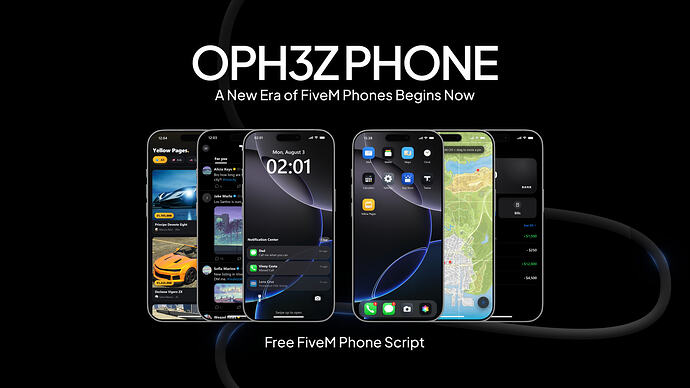
Enhance your FiveM server with a feature-rich, custom phone script. Supports ESX, QBCore, and Qbox, offering a realistic smartphone experience.
Aperçu
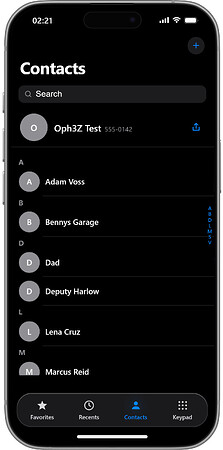
Aperçu
Introducing a custom phone script designed to bring a realistic smartphone experience to your FiveM server. This script is built to be compatible with popular frameworks like ESX, QBCore, and Qbox.
The phone comes equipped with a comprehensive suite of apps, mimicking the functionality of a real smartphone. Users can expect features like calling, messaging, a camera, social media integration, and a yellow pages directory.
Caractéristiques principales
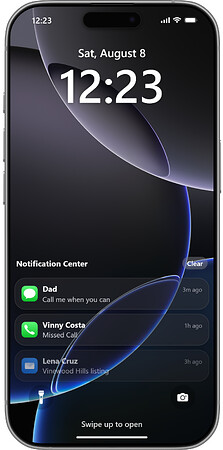
- Lock screen displaying a live clock, date, and notifications.
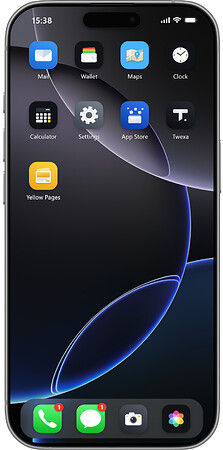
- Customizable home screen with rearrangeable apps, folders, and multiple pages.
- Integrated control center and a dynamic island feature.
- Notification center with per-app alerts and badges.
- Walk mode allows users to move while interacting with the phone.
- Available in English and Turkish, with plans for additional language support.
- Accessible via a keybind (default F1), command, or as an inventory item.
- Stores player data in individual JSON files, eliminating the need for a separate database.
Installation
- Téléchargez la ressource via le bouton de téléchargement vérifié.
- Consultez les fichiers inclus et les notes de configuration.
- Extrayez la ressource et placez-la dans le dossier resources correct du serveur FiveM.
- Ajoutez la ressource au fichier server.cfg lorsque la version inclut un dossier de ressources.
- Redémarrez et testez sur un serveur de test avant de l'utiliser en direct.